3D Landscape Design vs. AI Photo Rendering: Which One Is Right for Your Project?
Francis Karuri
Landscape & AI Correspondent
3D modelling tools like SketchUp give you exact dimensions, technical drawings, and virtual walkthroughs — but they take days to learn and weeks to produce a first result. AI photo rendering tools like Hadaa give you photorealistic results from a real photograph of your yard in under 60 seconds. These are fundamentally different tools solving different problems. Here’s exactly when to use each.
Quick Answer
- Homeowner wanting to visualise options fast: AI photo rendering — Hadaa Garden Autopilot, $9 per project.
- Professional needing exact measurements and CAD output: 3D modelling — SketchUp Pro or Cedreo.
- Professional wanting renders during consultation: AI photo rendering — Hadaa Pro Studio, pay per render, no subscription.
- Complex project with drainage or structural engineering: 3D modelling.
- No design experience: AI photo rendering — zero learning curve required.
Two Fundamentally Different Starting Points
The confusion between 3D landscape design and AI photo rendering usually comes from conflating what they produce. Both output visualisations of a designed outdoor space. But they arrive there from opposite directions — and the difference matters more than the visual similarity.
3D modelling starts from nothing. You build a virtual version of your site by drawing walls, placing objects, importing plant models, and defining terrain. The model is dimensionally accurate. You can measure distances, check angles, export technical drawings, and walk through the space in a virtual camera. The render is the last step of a long process. Tools: SketchUp, Cedreo, Realtime Landscaping Pro.
AI photo rendering starts from your actual yard. You upload a photograph of the real space — with the existing fence, the mature oak, the sloped lawn — and the AI transforms that photograph into a photorealistic design. You’re not building a model; you’re directing a transformation of a real image. The render is the first output, not the last. Tools: Hadaa, Remodel AI.
Both approaches produce a compelling image. The question is what that image cost you in time, what it tells you about your site, and what you can do with it afterwards.
3D Modelling: Precision at a Price
3D modelling software gives you something no AI photo tool can: a dimensionally accurate model of a space that does not yet exist. Every path, every retaining wall, every plant bed is placed at an exact position in a virtual world with real measurements. That precision is the entire point.
What 3D modelling is genuinely good at:
- Exact dimensions — Draw a 4m × 2m raised bed and know it will fit before breaking ground.
- Technical drawings — Export plan views, sections, and elevations for planning applications or contractor quotes.
- Walkthroughs — Move through the virtual space at eye level to sense proportions and sightlines.
- Iteration on layout — Drag a path 50cm east and see how it affects every adjacent element instantly.
- Documentation — Generate a comprehensive drawing set with dimensions, materials, and plant schedules.
What 3D modelling requires: You are building every element of the model by hand. Terrain, structures, hardscaping, planting — all of it placed manually. Before producing a first useful result in SketchUp, most users spend 10–40 hours learning the interface. For Cedreo or Realtime Landscaping Pro, the learning curve is gentler but the time-to-first-result is still measured in hours.
That investment pays off at scale. A landscape architect who runs 20 complex projects a year will recoup weeks of learning time through faster documentation and fewer revision cycles. For a homeowner planning one garden renovation, it often does not.
3D Modelling Tools at a Glance
- SketchUp Pro — The industry standard for 3D modelling. Web browser version free; Pro at $349/year adds full rendering and export. Very high learning curve. Used by architects and landscape architects.
- Cedreo — Purpose-built for residential design including outdoor spaces. Faster than SketchUp to learn; still requires 5–10 hours to produce professional results. From $99/month.
- Realtime Landscaping Pro — Windows-only, landscape-specific 3D tool with a 660+ plant library. $279 one-time perpetual licence. High learning curve; best value in the professional desktop category for Windows users.
AI Photo Rendering: Speed and Realism Without the Model
AI photo rendering inverts the 3D workflow. You start with a real photograph of the space you want to design — your actual backyard with your actual trees and fences — and the AI transforms it into a photorealistic design. The spatial context is already there. The AI does not need to build a model; it reads depth, structure, and existing features from the image and works within them.
What AI photo rendering is genuinely good at:
- Speed — Under 60 seconds from upload to photorealistic render.
- Zero learning curve — If you can take a photo on your phone, you can use it.
- Photorealism — The output is a transformed photograph — lighting, depth, and materials look physically real.
- Contractor deliverables — Hadaa outputs a zone-verified planting guide, contractor blueprint, and bill of quantities alongside every render set.
- Volume — Hadaa’s Garden Autopilot produces 22 renders from a single yard photo — 8 styles, 8 viewpoint angles, plus quick-action edits.
What AI photo rendering cannot do: It does not produce centimetre-level dimensions. You cannot measure the distance between two points in the rendered image with engineering accuracy. It does not output formal site drawings suitable for planning applications. It does not model drainage, grading, or structural engineering. If you need any of those, you need a 3D model.
For the majority of garden renovation projects — where the job is choosing a design direction, visualising it before committing, and briefing a contractor — AI rendering produces everything you actually need.
Hadaa — AI Photo Rendering for Homeowners and Professionals
RecommendedHadaa is purpose-built for exterior landscape design. Garden Autopilot takes one yard photo and delivers 22 photorealistic renders, a USDA zone-verified planting guide, a contractor blueprint, and a bill of quantities — from two choices. No learning curve, no subscription required.
Pro Studio gives landscape professionals access to all five design engines independently: Style Presets with a precision masking brush, Smart Fix for plain-text edits, Quick Actions for diagnostics and atmospheric previews, Change Viewpoint for aerial synthesis, and the Sketch Engine for converting any drawing into a photorealistic render. See the Sketch Engine guide for more on that workflow.
Verdict
The fastest path from “I have a yard photo” to “I have a contractor-ready design package.” For homeowners and professionals who want results without learning 3D modelling, there is no faster or more complete option.
Try AI rendering →Remodel AI — Quick Photo Transformation
Remodel AI applies a photo transformation to your yard and returns a styled image in about 10 seconds. Solid results on large open yards; weaker handling of slopes and structural fencing. No zone verification, no planting guide, no contractor-ready output — renders are inspiration only.
Verdict
A useful second opinion on visual direction. Not a substitute for a design tool with actionable outputs.
Side-by-Side Comparison
Scroll horizontally on mobile.
| Factor | AI Photo Rendering (Hadaa) |
3D Modelling (SketchUp / Cedreo) |
|---|---|---|
| Time to first result | Under 60 seconds | Days to weeks |
| Learning curve | None | High — 10–40 hours |
| Input required | Photo of your yard | Build from scratch |
| Output quality | Photorealistic from real photograph | Rendered model — varies by skill |
| Contractor drawings | Blueprint + planting guide + BOQ included | Exported technical drawings |
| Dimensional precision | Visual accuracy; not centimetre-precise | Exact dimensions |
| Zone-verified planting | Yes (Hadaa Biological Engine) | No — manual plant selection |
| Formal planning drawings | No | Yes |
| Price | $9/render · no subscription | Free to $349/yr (SketchUp) |
| Best for | Homeowners · quick concepts · client renders | Architects · complex projects · planning |
Decision Guide: Which Approach Fits Your Situation?
You’re a homeowner planning a garden renovation
AI rendering is the fastest path from a yard photo to a contractor-ready brief. Hadaa Garden Autopilot produces 22 renders, a planting guide, and a bill of quantities from one upload. No design training required.
You need to show a client what a design will look like during your first meeting
Upload a site photo, apply a style, and show a photorealistic render before you leave the driveway. Professionals using Hadaa Pro Studio report nearly doubling their consultation close rate.
You want to test multiple directions quickly before committing to any of them
Six base styles in parallel, eight viewpoint angles, seasonal previews — AI rendering lets you explore a design space in 60 seconds that would take days to model.
You have no design experience
AI photo rendering has no learning curve. There is nothing to learn except how to take a clear photo of your yard.
You need formal planning drawings or a building permit
Planning applications require dimensioned site plans and technical drawings. AI rendering does not produce these. You need a 3D modelling tool or a landscape architect producing CAD drawings.
Your project includes drainage, retaining walls, or structural engineering
Grading, drainage gradients, and structural load calculations require dimensional accuracy. 3D modelling is the right tool for this complexity — and you likely need a qualified professional alongside it.
You are a landscape architect who delivers comprehensive drawing sets
SketchUp Pro, Cedreo, or Realtime Landscaping Pro give you the technical drawing exports your professional deliverables require. AI rendering complements this workflow at the concept stage; it does not replace it.
You want to model a space that does not yet exist from bare land
If there is no photograph of the existing space — a new build plot, a roof terrace under construction — AI photo rendering has nothing to work from. 3D modelling lets you build the space from scratch.
You Don’t Have to Choose
The 3D modelling vs. AI rendering framing implies a binary choice. In practice, many professionals use both — and Hadaa’s Sketch Engine is specifically designed to bridge the two.
Here’s the workflow: produce your spatial layout in SketchUp, Cedreo, or on paper. Export an image of the drawing — or photograph a hand-drawn plan. Upload it to Hadaa’s Sketch Engine. The AI reads the geometry from the drawing — path positions, planting zone boundaries, structural outlines — and renders it as a photorealistic landscape design. You get the precision of a modelled layout with the visual quality of an AI photo render.
The engine does not drop a texture on top of your sketch. It reads the drawing as spatial data: where boundaries are, where planted areas fall, what structures exist. A curved path in the back-left corner of your plan shows up as a curved path in the back-left corner of the render. This is spatial rendering from a 2D input — not a style filter.
Sketch Autopilot takes this further: upload your drawing, add a plain-text description of your intent, and the engine produces four photorealistic renders automatically — two interpretations of your layout and two variation renders exploring different angles or seasons — with zero manual steps between them.
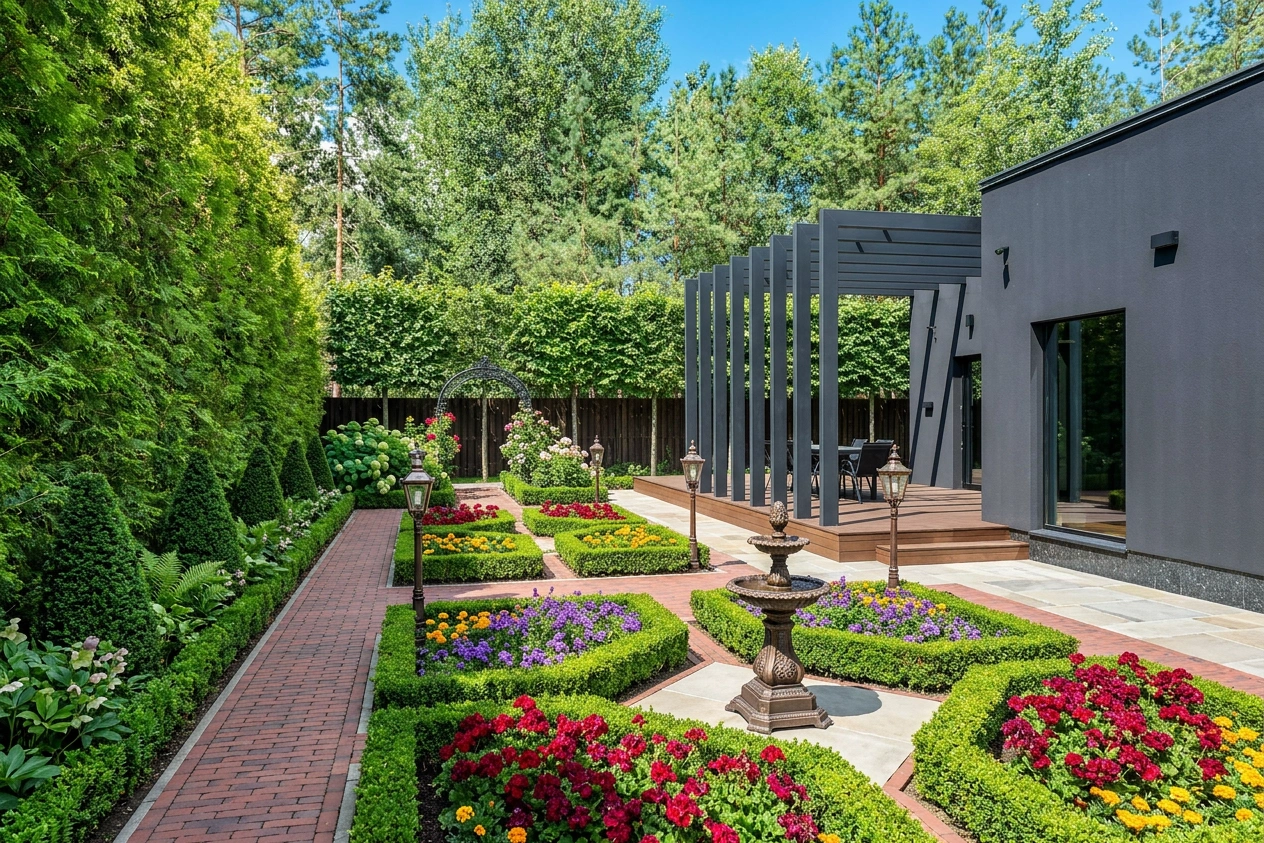
This workflow eliminates the visualisation studio step that used to sit between concept design and client presentation. A landscape designer who previously spent three days in SketchUp to produce a presentable render can now produce one in 15 minutes from a hand-drawn layout — during the client meeting, before leaving the site.
The practical sequence for a professional project:
-
1
Site visit
Photograph the yard from every relevant angle. Note dimensions for the elements that need to be precise.
-
2
Concept layout
Sketch the structural layout — path positions, zones, key features — either by hand or in a quick CAD draft.
-
3
AI rendering
Upload the sketch to Hadaa. Describe the style and intent. Get four photorealistic renders in under two minutes.
-
4
Client approval
Show the renders during the consultation. Get a direction approved before producing technical drawings.
-
5
Technical documentation
Return to SketchUp or CAD only for the approved direction. Produce the drawing set the contractor or planner actually needs.
The week-long rendering cycle that used to separate concept from presentation now fits inside the first meeting. That is not a marginal improvement — it changes when in the project timeline a client commits to a direction, which changes how many revision cycles you run on the full drawing set.
Frequently Asked Questions
What is the difference between 3D landscape design and AI photo rendering?
Which is better for homeowners — 3D modelling or AI rendering?
Can I use my SketchUp model with Hadaa?
Does AI photo rendering work for professional landscape design?
How accurate is AI photo rendering compared to 3D modelling?
No 3D model required
Photorealistic renders from your yard photo. No 3D model required.
Upload a photo or sketch. Hadaa delivers 22 photorealistic renders, a zone-verified planting guide, a contractor blueprint, and a bill of quantities — from two choices. No subscription, no learning curve.

